


My Digital Workflow: Obsidian
For the last few years I’ve been fussing with my digital workflow. I’m laptop guy. I use my tablet for reading and some very light editing, but almost everything else runs through my laptop.
In general, I use three applications for writing. For my blog, I use Red Sweater’s Mars Edit, for longer things I use Literature and Latte’s Scrivener, and for daily writing, I use any number of simple text editors, most recently: Byword and Drafts. Of course, I occasionally use Google Docs to write collaboratively with colleagues and Word to do certain things that Word does, which for me means making it easy to read and comment on Word documents and to produce text that can be shared via email.
Since I start most of my writing in a simple text editor, I tend to be pretty fussy about this particular piece of software in my workflow. It has to be able to do a handful of important things: it has to look nice on my computer, it has to sync with my phone (and iPad), and whatever its other features, it has to be a very simple text editor which doesn’t clutter text with formatting or other markup. Most of these applications make it easy to access multiple documents from a sidebar within the application, count words and characters, and have a decent search function.
As I played around with various text editors over the years, I also added a few other features to my list. First, I want the application to handle photos in notes. Second, I also decided that tagging notes would be very useful for organizing notes thematically. Third, I want the app to save my notes in a simple format: .txt, .md, or similar which makes it easy to export.
My previous apps, ByWord was elegant and simple and saved files as .txt, but it really was designed to encourage focused writing in a single document rather than to provide a platform that allows for rapid and easy access to multiple documents. I then switched to Drafts, which I liked well enough (even if the aesthetic was a bit spartan for my tastes), but it saved files within the app making it tricky to export them easily.
A couple weeks ago, I was meeting with Scott Coleman, a graduate student at Carleton University in Ottawa, and he showed me his workspace in Obsidian. It blew my mind!
Obsidian ticked a bunch of the boxes. At its core, it was a simple text editor, but it had enough available themes that it could look nice on my computer. It could sync across my devices. It allowed me to access multiple documents from is sidebar and organize them into folders. It allowed me to include images and pdfs in the application. I could also tag these files as well as my simple text documents. Finally, it saves documents as .md files making them easy to export, import, and reuse.
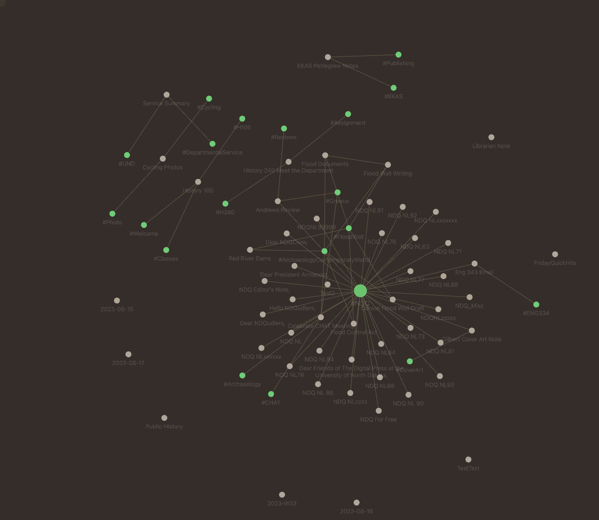
(Obsidian also allows me to display the relationship between my notes via tags and links between the notes. I’m not sure whether this will ever come in handy, but it’s cool:)
As an added bonus, Obsidian has a Chrome plug in that allows you to clip web addresses directly to a weekly Obsidian note. Moreover, there’s a seemingly active user and developer community that is always creating new ways to make Obsidian useful.
I’m not going to say that this is the last text editor that I ever use, but for now, it’s my go-to.

Comments